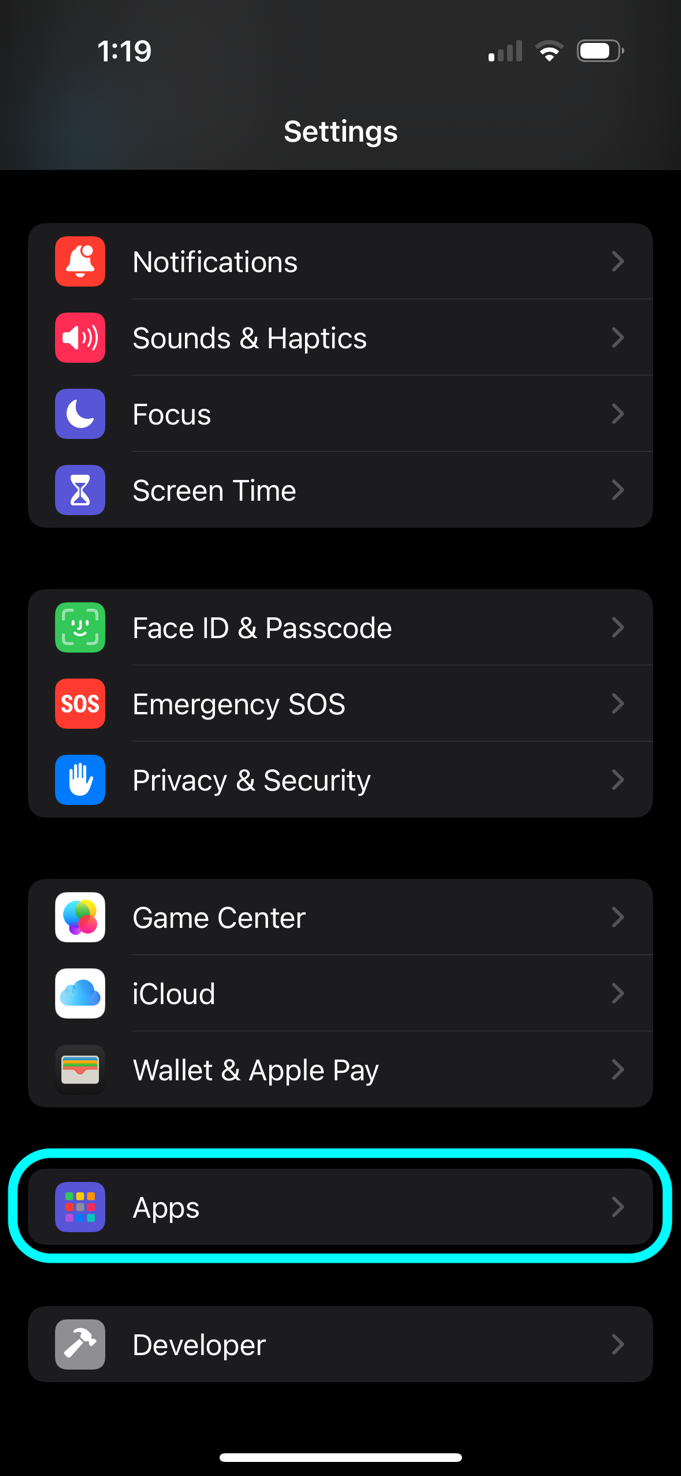
Step 1
To Allow Automatic Updates For Apps: Click on Settings, Scroll Down To Apps.
Find quick answers or contact Good Insights directly.
To Allow Automatic Updates For Apps: Click on Settings, Scroll Down To Apps.
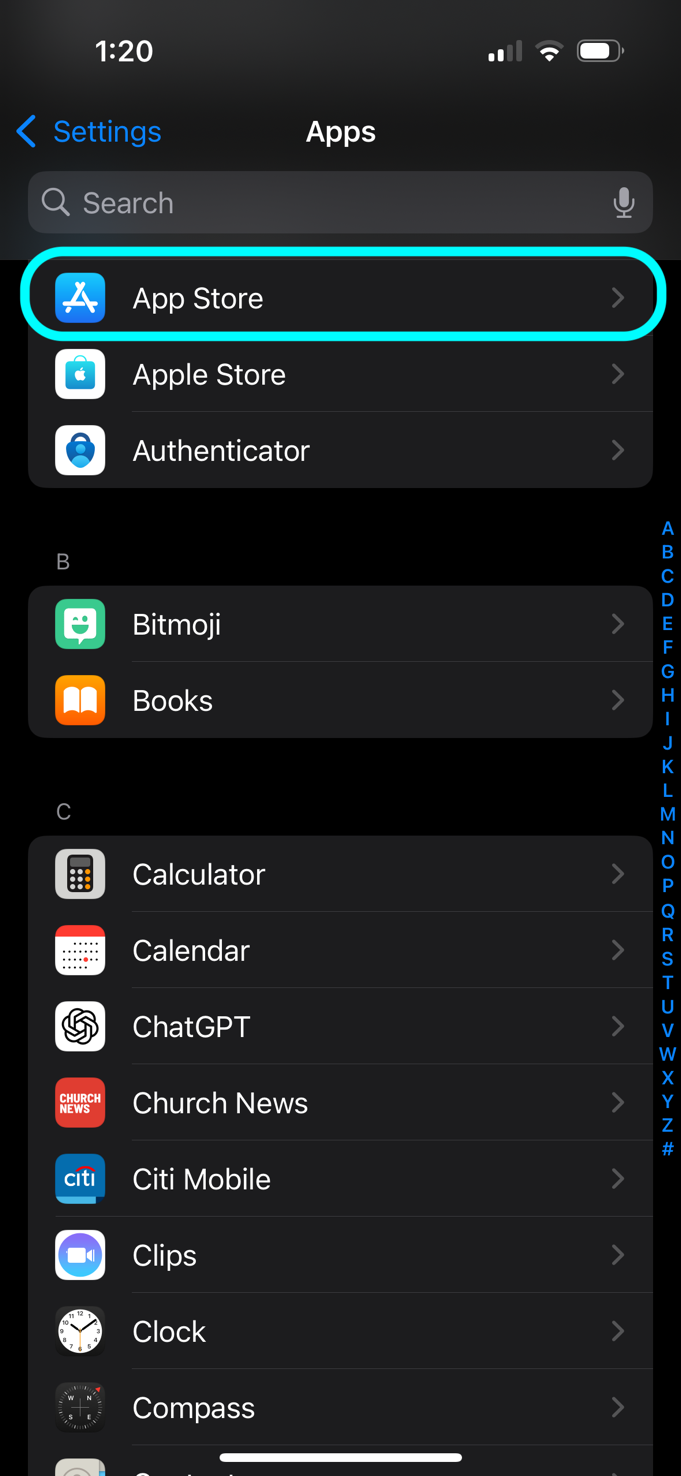
Click on App Store.
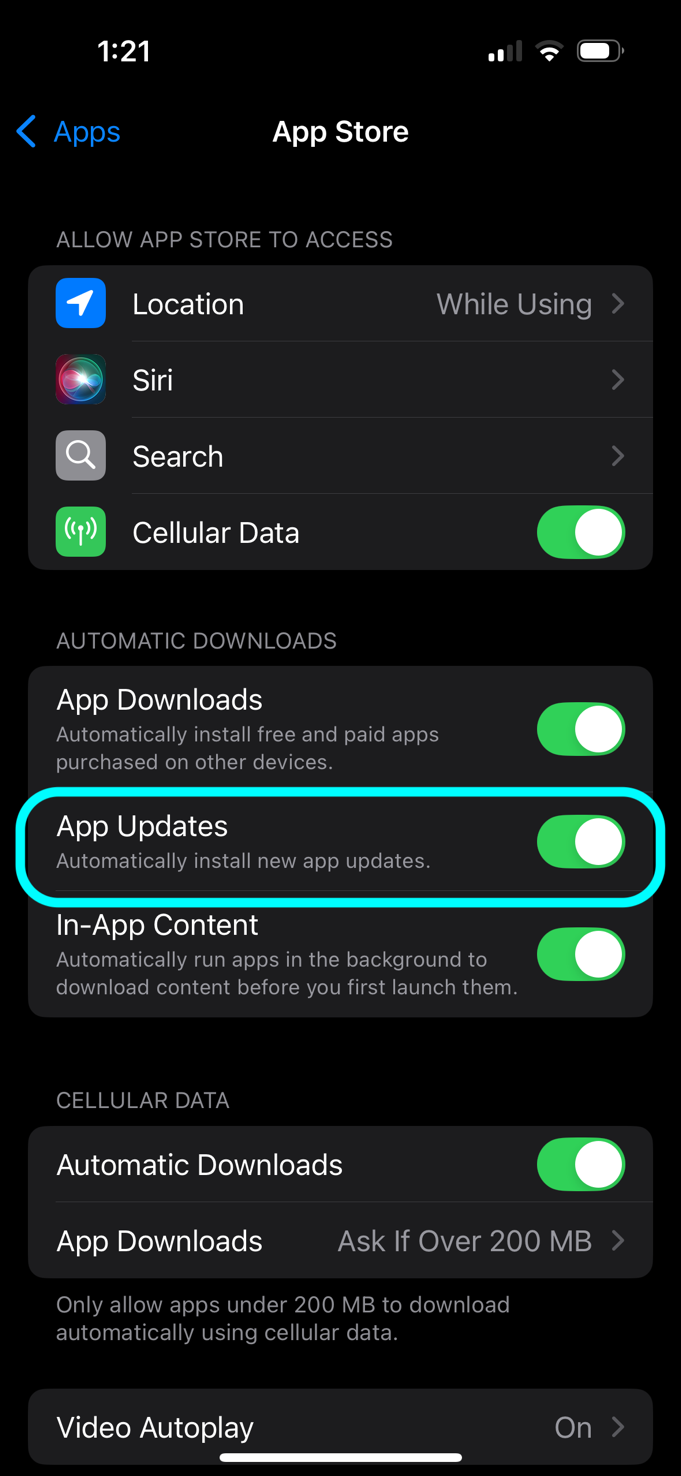
Toggle App Updates selection to Automatically install new app updates.
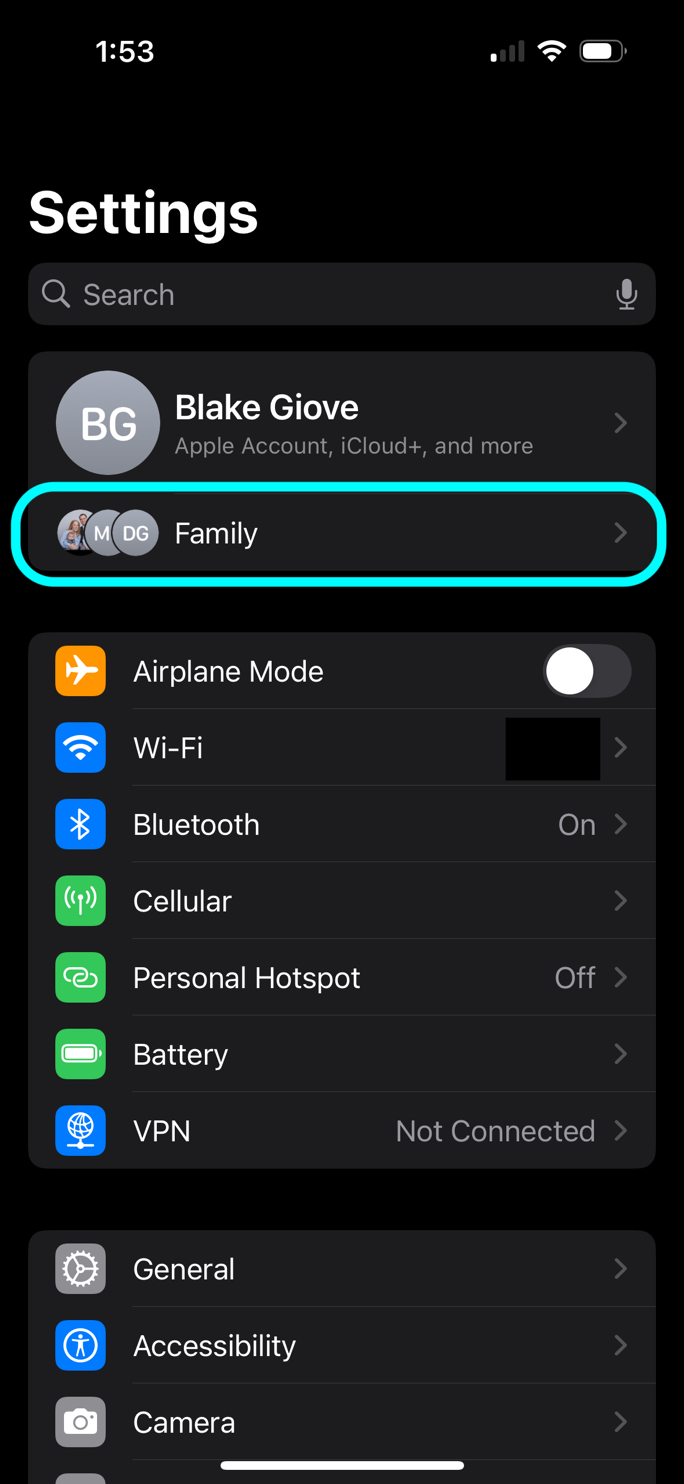
Click on Settings, Click on Your Family.
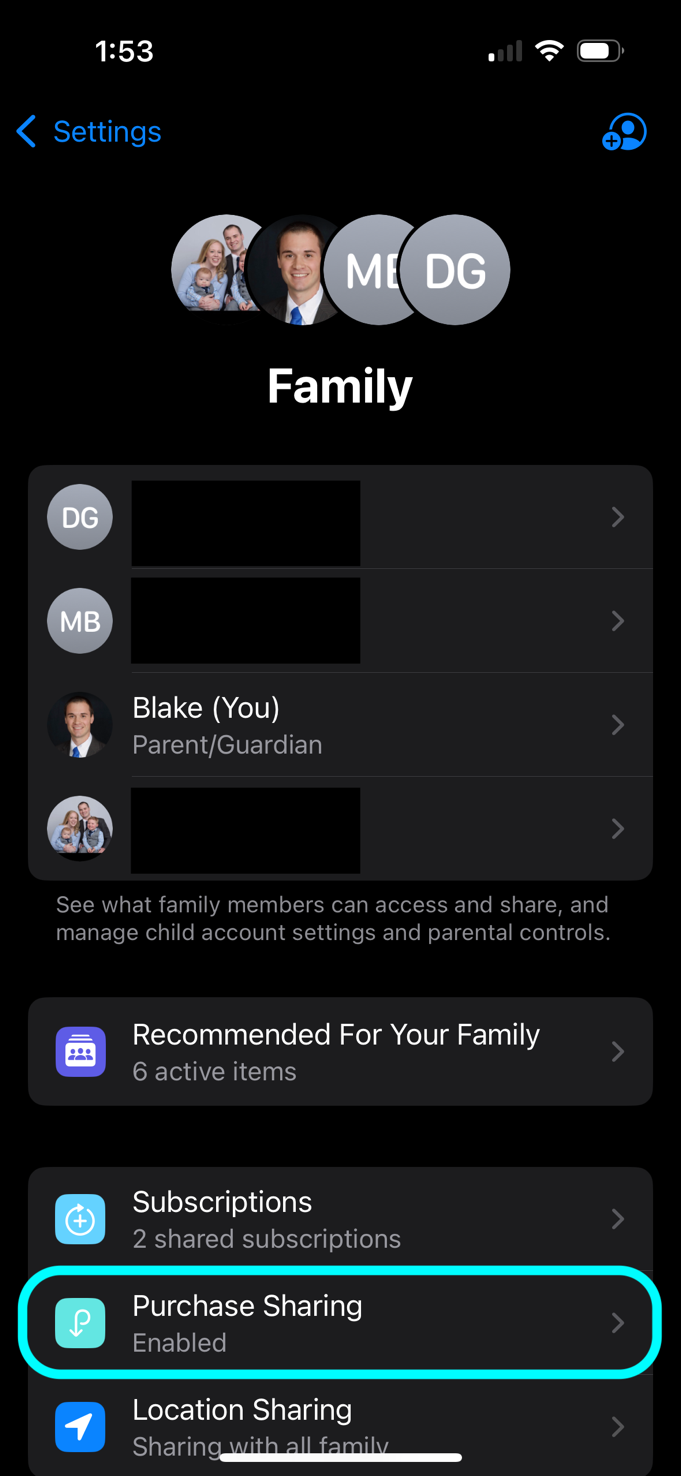
Click on Purchase Sharing.
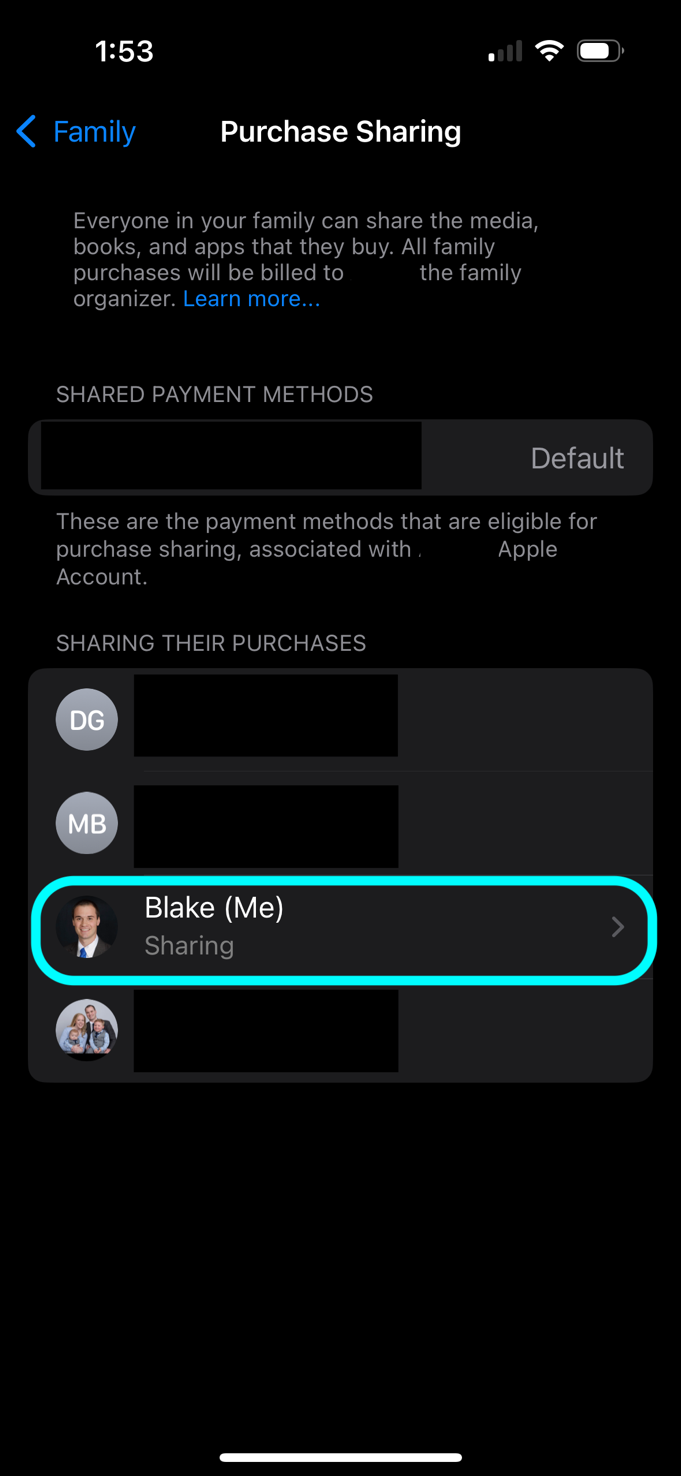
Select Your Account.
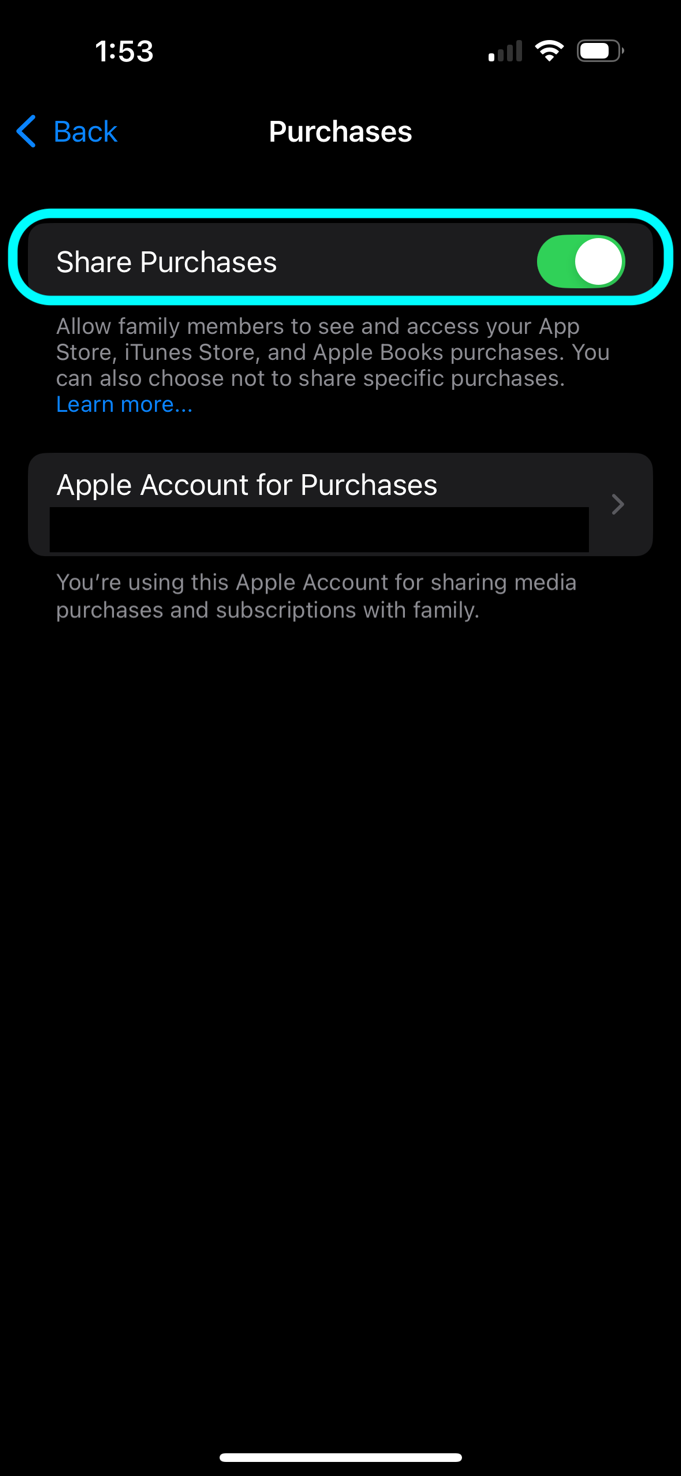
Toggle Share Purchases to Allow Purchase Sharing.
Use this Help Center for general guidance. For specific product help documentation for app/software/system see the corresponding tab for that product offering at the top of this website. Additional product-specific support content can be added here as products evolve.
Use the contact form and include the product name, device, and a short description of what happened.
Visit the Privacy Policy page using the navigation at the top or bottom of this website.
Complete the form below.
We love our customers, so feel free to send us feedback to improve operations!